Price History
min
max
fix

Behoof



Display
Color rendering
Connectivity
Features
Design
 Best choice


Price is stable
The price has not changed over the last 30 days
Screen size23.8 "
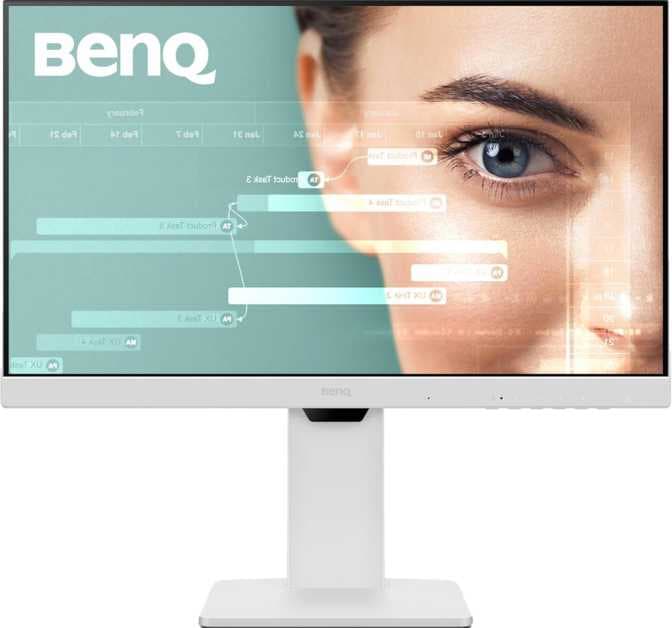
The BENQ GW2486TC is a 24-inch standard monitor designed with an IPS, LCD LED-backlit display. It offers a pixel density of 93 ppi and supports a refresh rate of 100 Hz, which allows for reasonably smooth on-screen performance. The display delivers 16.7 million colors, although overall color rendering is below average and may not meet the needs of users who require high color accuracy. The built-in stereo speakers provide basic audio playback capability. In terms of connectivity and features, the monitor offers limited options and may not be ideal for users who rely on extensive peripheral support or advanced monitor functions.
In summary, the BENQ GW2486TC 24" monitor is suitable for general-purpose home or office use where basic display quality and functionality are acceptable, but it is not intended for professional visual tasks such as color-sensitive design work or high-performance gaming.
min
max
fix
Free delivery
Min
Max
Fix

Nimal
I liked the product. Feels like a worth buy. Good as an all purpose monitor. Not for people who are looking for color accurate dispay.
Kiran Kumar Dasari
Risks connected laptop by overheating it on USB-C used for screen extension and charging. Brand’s suggestion is to go with HDMI converter which exhausts bartery and do not charge. Suggestion not making any sense having invested decent amount on the product as claimed for USB-C that helps in screen extension and charging device on single cable making desk clutter free from managing multiple cables. Brand not providing denial letter that assists in return with amazon. Awaiting amazon’s exceptional assistance on returning the product.
Shubhanshu Barnwal
I’ve only been using the BenQ GW2786TC (White) monitor for 2 days, but so far, I’m very impressed - especially as a developer. What I loved right away: ✅ Crystal-clear IPS Display: The colors are vibrant with excellent sharpness for text. Coding is super comfortable on this 27" screen. ✅ 100Hz Refresh Rate: Makes scrolling through code or webpages feel smooth and fluid. Didn’t expect to enjoy this as much! ✅ USB-C with 65W PD: A big plus - charges my laptop and transmits display/audio with one cable. Clean setup, no clutter. ✅ Eye Comfort Features: Low blue light, flicker-free screen, and the Coding Mode really reduce strain. I worked for hours without the usual fatigue. ✅ Adjustable Stand: Easy to adjust height and tilt to get a perfect ergonomic angle. ✅ Daisy Chain Ready + USB Hub: Future-proofed for dual monitors. Love the flexibility. Minor Notes: ⚠️ Full HD on 27" is fine for coding, but designers may prefer higher resolution. ⚠️ The white finish looks premium, though it may need more cleaning over time. Overall: Even after just 2 days, I can tell this monitor is built for productivity and comfort. If you’re a developer or someone working long hours on a screen, this is definitely worth considering. Looking forward to using it more!
Jay V.
Very easy to set up and use. 100Hz refresh rate. Can be tilted however you want it to be tilted. Also offers vertical rotation, you can change it in the settings. Also offers a free app that you have to download from their website which tells ideal lighting in the room and tells you via its sensors if the light is too less. Can also remind you through that app to get off the screen for a while. Has built in speakers. Offers Type C connectivity and downstreaming. Resolution is wonderful, no issues. Offers blue light blocking. 2 USB ports are also there and one type C along with other ports that a monitor usually has. Very satisfied with it.
Mohandas K.
Stunning display. The monitor especially the coding mode is soft on eyes. And the design does look modern. Usb c with power delivery keeps your desk clean
vinoth
I purchased this 24inch monitor on Feb-25. Build quality and appearance is great. I don't use the eyecare features as they won't help much because Im doing US shift. I simply just put the contrast to zero and brightness to 15. This monitor good for IT - support work from home setup. If you have more budget, go for 2k monitor. But this is a good monitor with all necessary features. And FYI , 24 inch screen is really big. Don't go for 27 or 32 for IT support work.
Vishal
It's picture quality is good, sound is also nice. I did a lot of research before buying it, but I feel it's the best product under 15k.
Lakshman
So far so good, but when I turn the monitor 90 deg, it won't automatically change the display, we have to manually change the screen orientation.
Anilb
A good looking and feature rich monitor.