Price History
min
max
fix

Behoof



Display
Color rendering
Connectivity
Features
Design
 Best choice


Price is stable
The price has not changed over the last 30 days
Screen size23.8 "
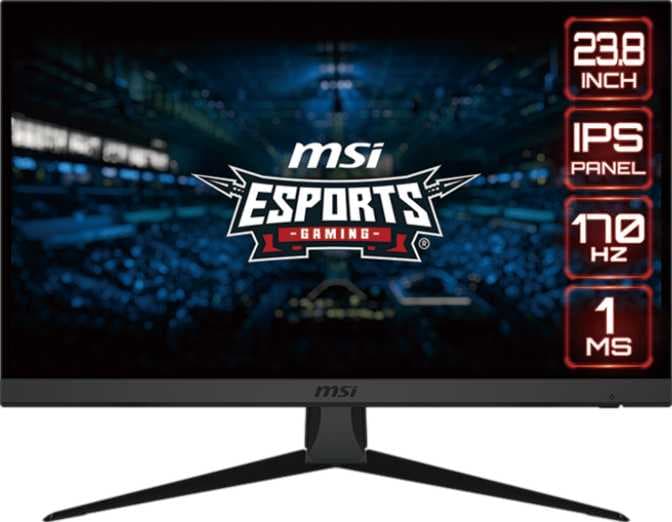
The MSI G2422 is a 24-inch gaming-focused monitor featuring an IPS LCD panel. It delivers a display experience that may be considered satisfactory, with a pixel density of 92 pixels per inch and support for 16.7 million colors. The monitor has a high refresh rate of up to 170 Hz, which can be beneficial in fast-paced gaming scenarios by providing smoother visuals.
Color rendering on this monitor is limited, and users might experience less accurate or vibrant color reproduction, especially for tasks requiring color precision. The overall connectivity options are minimal and not particularly versatile, limiting compatibility with a wide range of devices or setups. Additionally, the monitor does not include stereo speakers and lacks advanced or notable features typically found in higher-end models.
Overall, the MSI G2422 is a basic gaming monitor with a high refresh rate, suitable for general gameplay, though it may fall short in color performance and connectivity for more demanding or professional use cases.
min
max
fix
Free delivery
Min
Max
Fix
Monitors
Price
Monitors
Price

Madhav
These really good monitor as compare to my previous one 😊
Rifaque Ahmed
At first when I bought the monitor, I was astonished at the quality, the specs at such a competitive price range, It all went to waste right before the 7 month mark, the monitor started glitching a bit a week ago and now it's completely useless, It was too good to be true. Utterly disappointed, I would have understood if it was because I was careless, but I was so careful around it and it was connected to an inverter which means the power supply was stable. I would not personally recommend this monitor.
Mukul Khanna
This monitor is very good. Excellent colours and refresh rate is also very good for gaming. Value for money.
Deepti g.
Awesome monitor everything is good but it will cause problems if you mount it via vesa mount
Anshul Rishi
Tushar
Bought this monitor , at this cheap rate it’s so good just that if u connect to laptop through laptop using hdmi port 2.0,2.1 you will get the hertz same as ur laptop , but if u connect the display cable to laptop (display to usb c ) cable then u can utilise the full 165Hz Suggestion - use hdmi port only as the laptop can heat up more Summary - good monitor for gaming and productivity(for colour management go to nvidia control panel turn the vibrance to 80 or 85 and brightness to 50 , also go to settings choose display two only to get maximum performance while gaming )
Nang Swapnita Phukan Konwar
I'm a fan of MSI for a long time... I love msi for both look as well as performance purposes. Picture quality of the monitor is top notch...
Dibyansu
Just 1080P is not the best for 27 inch. If 24 inch is working then go for it.