Price History
min
max
fix

Behoof


Display
Color rendering
Connectivity
Features
Design
Screen size27 "
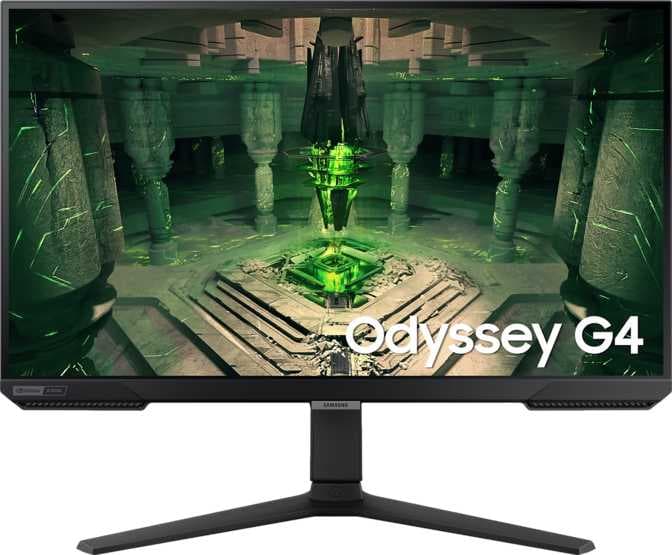
The SAMSUNG ODYSSEY G4 27" is a gaming monitor featuring a 27-inch IPS panel, offering satisfactory visual performance supported by a pixel density of 81 ppi. It delivers smooth motion handling with a high refresh rate of 240 Hz, making it well-suited for fast-paced gaming scenarios. The monitor supports 16.7 million display colors, although color rendering may not be accurate or vibrant, reducing its effectiveness for tasks requiring high color fidelity. Despite being designed for gaming, the device lacks strong built-in features and comes with limited connectivity options. It also does not include stereo speakers.
In summary, the SAMSUNG ODYSSEY G4 27" is a basic gaming-focused monitor suitable for users who prioritize high refresh rates in fast-action gameplay but do not require advanced features, high color accuracy, or extensive connectivity options.
min
max
fix
Free delivery
Min
Max
Fix
Free delivery
Min
Max
Fix

Monitors
Price

Monitors
Price

Monitors
Price

Monitors
Price
Ram Choudhary
Awesome 👍
Sudip Roy
Overall it's a good monitor. But you want good quality then don't go for 27 inch 1080p instead go for 25 inch 1080p. 240hz refresh rate is good, good for FPS gaming. Has HDMI and DP, we can connect multiple devices and switch between them. Hight adjustment and all is good
Tamil technical guruji junior
This is the second time im buying this monitor It's not IPS, it's a VA panel but the colour are good, if u r picking monitor for gaming and editing better go ahead with oled because ips panels max refresh rate is 60hz , only TN and VA panels can go up to 580hz
nazneen
Value for money.
Ashwini
Nice no complaints also sumsung support is also good , we can connect through whatsapp and get instant support
Dhruv Joshi
Bought it in august 2023. My usage for the monitor is gaming, editing, designing and more generally stuff like watching movies and cricket/football. This monitor performed more than expectations. BUT BUT, This monitor has very nominal motion blur that I seen during movies and watching cricket/football. If we come to the price point, its little more pricy. The stand needs refinement. The monitor menu needs more features and functions. There's no option to manually control backlight. There are no speakers. The color accuracy from corners is bad. No DP cable inside the box. Need more refinements in eco sensor. The switch below the screen is very hard to press. need more softer or just add touch keys. Overall great buy.
Debarghya Chowdhury
Recently I Build A PC , I Select Samsung Odyssey G4 240Hz Monitor. TO Enable 240Hz :- Go to Nvidia control panel Scroll down To (PC) , Select 1920×1080 And Simply You With Get 240Hz Option Ready.
Inderjit S.
My usage : Gaming, Work & Media consumption. Been using it for a month, Happy with it. Has no flaw so far other than very mild and bearly noticable bleeding on top left of the screen. Keep in mind screen bleeding is very common on IPS displays so it's not a big deal. As advertised it does support HDR10, does have Freesync premium and is Nvidia Gsync compatible. colours are good for the price point. Good for media consumption and ofcourse gaming. Won't recommend if you're going to use it for colour correction work. There are better/OLED displays out there for that. The stand it comes with is very sturdy and strong. I personally mounted it on an arm which was very easy as well. Customer service is great from Samsung. They sent an engineer to check the display when it arrived on my demand. Overall performance great!